
Workout log for Google Sheets and Excel
Write your routine, choose 4, 8 or 12 weeks and download a spreadsheet made for it: one row per set, last week next to this week, and a set that changes color when you beat it. Free, with no sign-up.
| Exercise | Set | Target | Week 1 | Week 2 | … | ||
|---|---|---|---|---|---|---|---|
| lb | Reps | lb | Reps | ||||
| Bench Press | 1 | 6-8 | 135 | 8 | 140 | 8 | … |
| 2 | 6-8 | 135 | 7 | 140 | 7 | … | |
| 3 | 6-8 | 135 | 6 | 140 | 6 | … | |
| 4 | 6-8 | 135 | 5 | 140 | 5 | … | |
| Incline Dumbbell Press | 1 | 8-10 | 50 | 10 | 50 | 10 | … |
| 2 | 8-10 | 50 | 9 | 50 | 10 | … | |
| 3 | 8-10 | 50 | 8 | 50 | 8 | … | |
| Overhead Press | 1 | 8-10 | 95 | 10 | 95 | 11 | … |
| 2 | 8-10 | 95 | 9 | 95 | 9 | … | |
| 3 | 8-10 | 95 | 8 | 95 | 9 | … | |
| Lateral Raise | 1 | 12-15 | 20 | 15 | 25 | 15 | … |
| 2 | 12-15 | 20 | 14 | 25 | 14 | … | |
The numbers above are an example: your file is empty. In Google Sheets: File, then Import, then Upload.
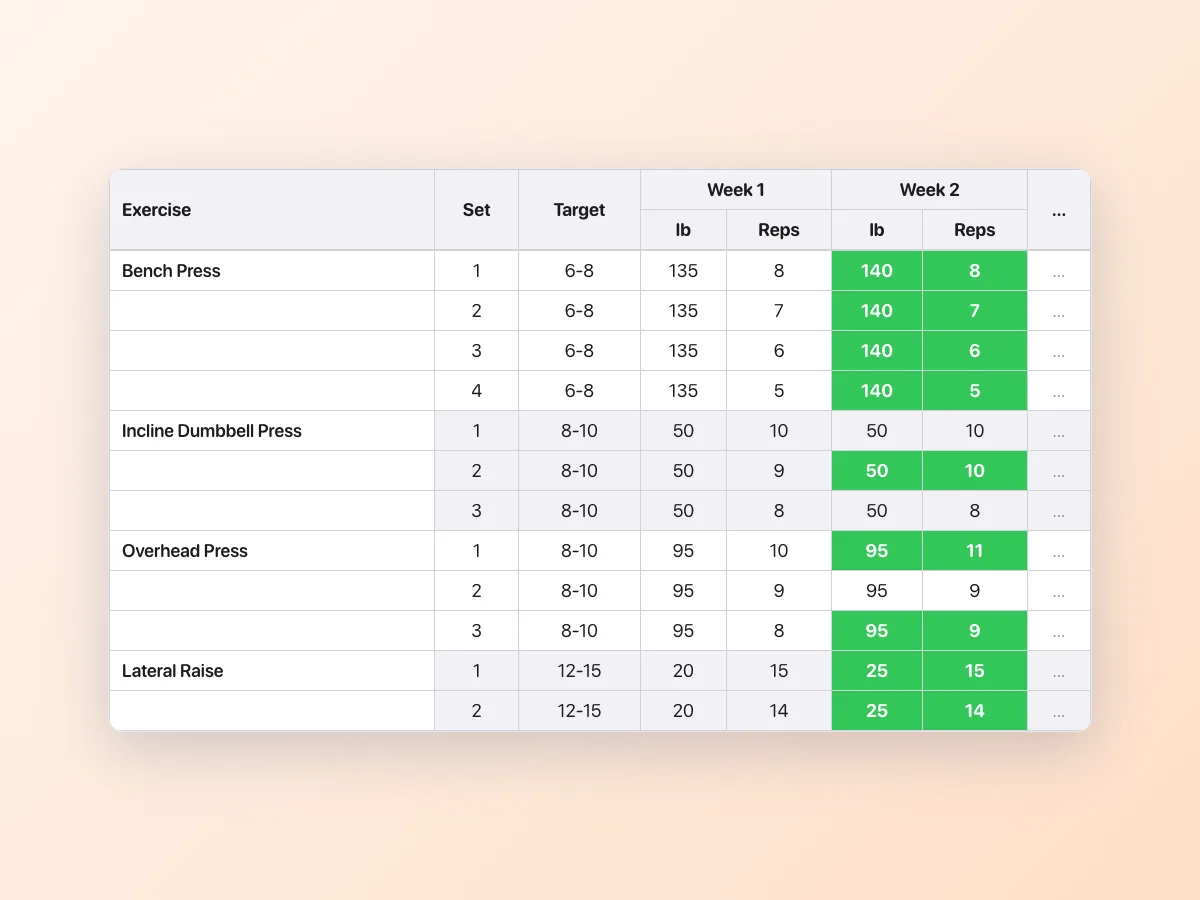
What is in the spreadsheet
The file has one sheet per workout and a Progress sheet. In a workout sheet, each set has its own row, with the reps you are aiming for. Each week takes two columns, weight and reps, so last week is always right next to the week you are filling in. The exercise and set columns stay in place when you scroll.
The Progress sheet reads the others. For each exercise and each week, it shows your heaviest weight and your estimated one-rep max, and for each workout, the total volume. There is nothing to type in it.
How to write your routine
Put one exercise per line and end it with sets and reps. "Bench Press 3x8-10" gives three rows with a target of 8 to 10 reps. "Plank 3x60s" works too: the target is free text. If you only write the name, you get three sets without a target.
You can have up to 6 workouts of 15 exercises. If you train the same workout twice a week, add it twice with two names, such as Push A and Push B, so each session has its own columns.
How to open it in Google Sheets
Download the file, then in Google Sheets choose File, then Import, then Upload, and select it. Choose Create new spreadsheet. In Excel, simply open the file. The Date row, under the name of each week, is there to note the day you trained.
Using it for progressive overload
Progressive overload means doing a little more over time: more weight, or more reps with the same weight. A simple way to do it is to stay at one weight until every set reaches the top of your rep range, then add the smallest step you can and start again from the bottom of the range.
That is what the colors are for. A set changes color when the weight is higher than the week before, or when the weight is the same and you did more reps. A week without color is not a failure: look at the Progress sheet over a month.
Spreadsheet or app?
A spreadsheet is yours, free, and good for reviewing your training on a computer. It is less comfortable between two sets, when you type in small cells on your phone and time your rest somewhere else.
That moment is why we are building Lifts, a workout log for iPhone and Apple Watch: your last numbers are next to each set, and the rest timer starts when you check it. It is not out yet, and you can join the waiting list.