
Printable workout log
Write your routine and print a log made for it, with one row per set and your last weeks next to this one. Or print one page per session, with or without exercises. Free PDF, with no sign-up.
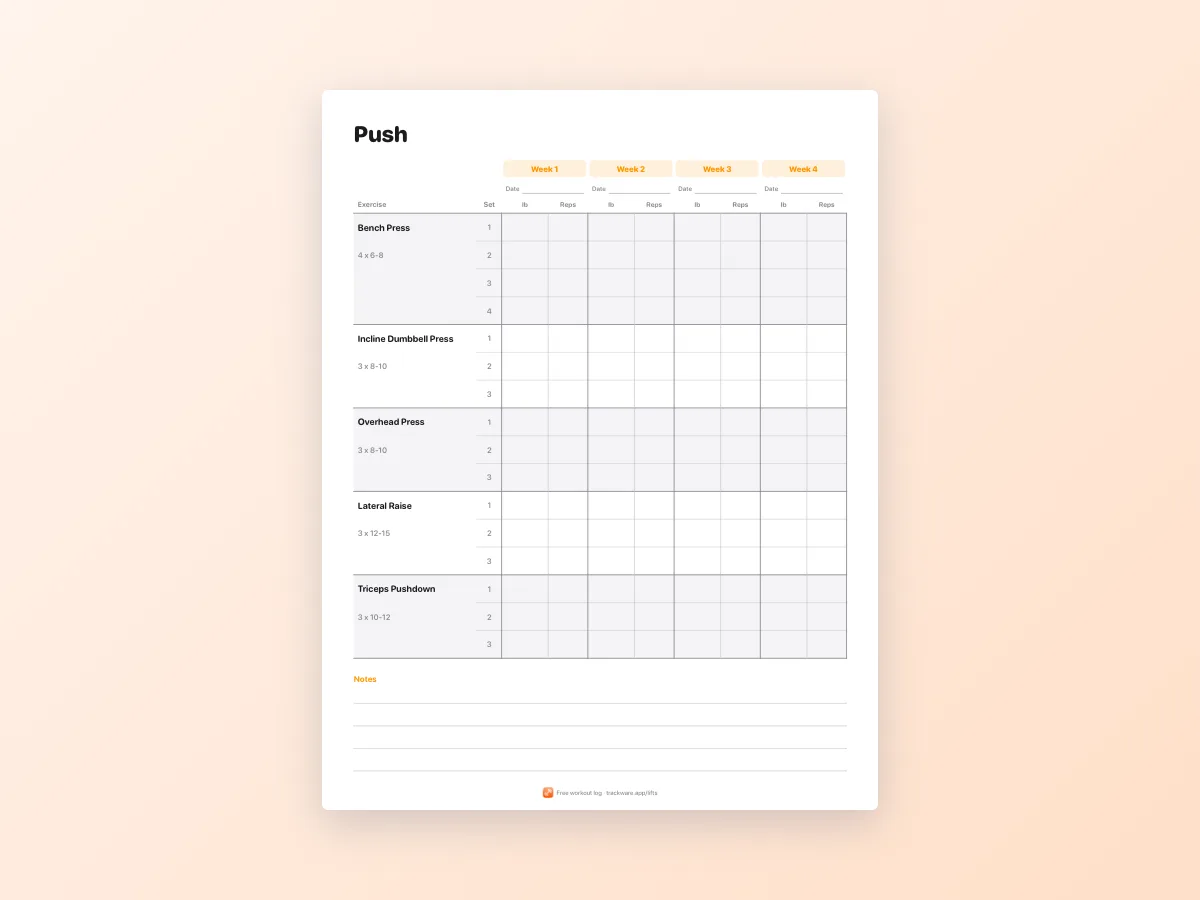
Which layout to print
Weeks is for a routine you repeat. Each workout gets one page, each set one row, and each week two columns: weight and reps. What you lifted last week is right next to the box you are about to fill, so you always know what to beat.
Session is one page each time you train, with five sets side by side and room for a note on each exercise. Blank is the same page without exercises, for people who decide at the gym.
How to fill it in
Write the date under the week, then the weight and the reps after each set. If you did not finish the reps you were aiming for, write what you really did: that number is the one to beat next time. Use the notes for what you would forget, such as the seat height or a grip that felt better.
How to write your routine
Put one exercise per line and end it with sets and reps: "Bench Press 3x8-10" prints three rows with a target of 8 to 10 reps. A long workout continues on a second page, and an exercise is never cut in two.
Printing tips
Download the PDF and print it at 100%, not "fit to page". A5 fits in a small notebook or a pocket: choose A5, or print two pages per sheet. The PNG is the page you see, for a tablet or a note app.
Paper, spreadsheet or app?
Paper never runs out of battery and keeps your phone in the locker. It does not add anything up: for weekly volume and an estimated one-rep max, use the workout log for Google Sheets.
If you want paper's speed with your last numbers already filled in, that is what we are building with Lifts, a workout log for iPhone and Apple Watch. It is not out yet, and you can join the waiting list.