
A habit tracker made for your Apple Watch
Habits has a real Apple Watch app: see your day at a glance, check off a habit or log progress in a tap, and keep your habits on your watch face. Synced with your iPhone through iCloud, and included in the free version.

Apple Watch
Your habits, on your wrist.
A real Apple Watch app: see your day at a glance, log a habit in a tap and keep your progress on your watch face.
- Log progress without taking out your iPhone
- Complications and Smart Stack widgets
- Synced with your iPhone through iCloud
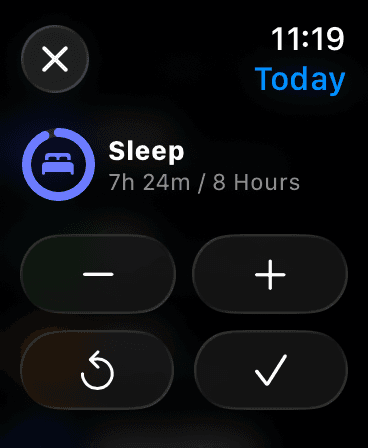
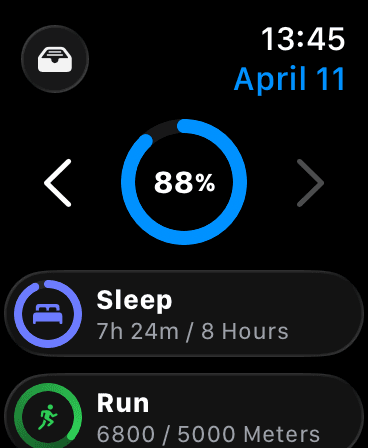
Check off habits without taking out your iPhone
Raise your wrist and today's habits are there, with your progress for each one. Tap to complete a habit, or log progress on habits with a goal, like glasses of water, pages or minutes. Everything you do on the watch syncs to your iPhone, iPad and Mac through your private iCloud.
The Apple Watch app is part of the free version of Habits, like the iPhone, iPad and Mac apps. There is nothing extra to buy for your wrist.
Complications and Smart Stack widgets
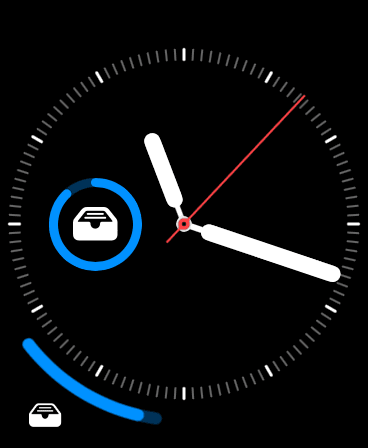
Add a Habits complication to your favorite watch face to see your progress every time you check the time, and open the app in one tap. Habits also has widgets for the Smart Stack, so your habits show up when you scroll on the watch face.
Habits that check themselves off
Your Apple Watch already records your steps, workouts and sleep in Apple Health. Connect a habit to Apple Health and Habits fills in your progress automatically: walk 8,000 steps, and the habit is done. Habits reads 57 Apple Health metrics, from workouts to nutrition, and never writes or shares them.
How to get Habits on your Apple Watch
Install Habits on your iPhone from the App Store. If automatic app install is on in the Watch app of your iPhone, Habits appears on your Apple Watch; otherwise, open the App Store on your watch and install it there. Your habits sync on their own, with no account to create.
Habits requires watchOS 10.6 or later on the watch, and iOS 17.6 or later on the iPhone.